
Software Distribution Methods And EULA Acceptance Approaches In The United Kingdom
Access model | Acceptance approach | Presentation considerations | Acceptance evidence | UK user considerations |
|---|---|---|---|---|
Download from website | ||||
User downloads installer from the supplier website after viewing product and licence information. | Click-wrap | Place an unticked checkbox next to the EULA link before the download button show version date. | Timestamp, user account or email, IP address, EULA version, checkbox event and download log. | For consumers, key licence restrictions and charges should be transparent before purchase or download. |
User downloads a free installer without registration and accepts terms during setup. | Installation acceptance | Display the EULA in the installer with a required accept button before copying files. | Installer log, device identifier, software version, EULA version and completion timestamp. | Do not rely on hidden terms after installation unexpected restrictions should be highlighted early. |
User creates an account to activate a downloaded freemium desktop application. | Sign-in acceptance | Show EULA and privacy links at account creation and first activation, with clear consent wording. | Account creation log, activation token, email verification, IP address and accepted EULA version. | If personal data is used for activation, privacy information must be clear and available at sign-up. |
User buys a subscription online and downloads the licensed software after checkout. | Click-wrap | Present EULA, subscription terms, renewal price and cancellation information before payment. | Order record, checkbox log, payment timestamp, account ID, renewal notice and EULA version. | Distance sales to consumers require pre-contract information and may trigger cancellation rules. |
Trial download | ||||
User joins a beta programme and downloads pre-release software for testing. | Click-wrap | Highlight beta status, feedback rights, confidentiality and data collection before access is granted. | Programme enrolment log, checkbox acceptance, invitation email, build number and EULA version. | Consumer-facing beta disclaimers should not exclude statutory rights unfairly or unclearly. |
User downloads a time-limited trial and later converts to a paid licence. | Installation acceptance | Show trial limits, conversion rules and paid licence terms before installation and upgrade. | Installer log, trial key, conversion event, payment record and accepted licence version. | Any auto-conversion to paid use should be prominent and not hidden in the EULA. |
User downloads software but must sign in to use trial features or cloud services. | Sign-in acceptance | Link the EULA beside the account sign-up button and restate cloud feature restrictions in-product. | User ID, authentication log, trial start date, IP address, feature access log and EULA version. | If software uses telemetry or cloud processing, provide clear privacy notices before activation. |
App store distribution | ||||
User installs a mobile app from an app store and accepts the EULA on first launch. | Click-wrap | Link the EULA in the store listing and require in-app acceptance before account or feature use. | App version, device ID, user ID, first-launch timestamp, acceptance log and EULA version. | App permissions, subscriptions and paid features should be clear before purchase or sign-up. |
User installs a simple app from a store without account creation or an in-app acceptance screen. | Browse-wrap | Place a conspicuous EULA link in the store listing and within the app settings menu. | Store listing archive, app version, download analytics and EULA link publication records. | Browse-wrap evidence may be weak important consumer terms should not be buried in app settings. |
User installs free app and unlocks premium features through in-app purchase or subscription. | Click-wrap | Show EULA, premium limits, renewal terms and cancellation route before the in-app purchase screen. | Purchase receipt, subscription ID, account log, app version, consent screen and EULA version. | Recurring payment terms and cancellation routes must be prominent for UK consumers. |
User obtains desktop software through an operating system marketplace or software store. | Installation acceptance | Use the store EULA field where available and show installer or first-run acceptance if permitted. | Store order ID, entitlement record, app version, first-run log and EULA version. | Platform terms may not incorporate bespoke developer restrictions unless clearly presented to the user. |
Pre-installed software | ||||
Software is installed on a device before sale and launched by the user after purchase. | Click-wrap | Show first-run EULA acceptance before use include a visible EULA link in device documentation. | First-run timestamp, device serial number, user account, acceptance event and EULA version. | Terms first shown after purchase risk challenge if they remove expected consumer rights. |
Trial software is bundled on a new device and activated by the user after purchase. | Sign-in acceptance | Require account activation with clear trial duration, data use, paid conversion and EULA links. | Activation log, device serial, account ID, trial start date, consent record and EULA version. | Paid conversion, renewal or data-sharing terms should be actively accepted, not assumed from device use. |
Firmware or embedded software is supplied as part of a connected device. | Implied acceptance | Provide licence terms in packaging, setup app and support site before account linking or updates. | Device setup log, account pairing, firmware version, packaging copy and online EULA archive. | Digital elements in consumer goods may engage statutory conformity and remedies for goods and digital content. |
Physical media | ||||
User buys boxed software on USB or disc and installs it locally. | Installation acceptance | Include a printed notice and display the full EULA in the installer before installation continues. | Product key activation, installer log, device ID, EULA version and installation timestamp. | Post-sale terms should not introduce surprising limits that were unavailable before purchase. |
User opens sealed packaging containing software media and printed licence notice. | Implied acceptance | Print clear licence notice on the outside or visible inside packaging and repeat terms in installer. | Packaging artwork, batch records, product activation, return policy and installation logs. | Implied acceptance is higher risk for consumers if important terms were not available pre-purchase. |
User buys a product key card and downloads software from the supplier portal. | Click-wrap | Show EULA before key redemption and again before installer download or first activation. | Key redemption log, account ID, download event, IP address, EULA version and activation record. | Pre-contract information should explain licence duration, device limits and refund constraints. |
Enterprise deployment | ||||
Organisation signs a master licence agreement and deploys software to employees. | Written acceptance | Attach the EULA or licence schedule to the order form and specify permitted users and devices. | Signed contract, order form, procurement record, licence schedule and deployment records. | Business-to-business terms are less consumer-regulated but exclusions remain subject to reasonableness controls. |
IT administrator downloads an MSI or package and pushes it to managed devices. | Click-wrap | Require administrator acceptance in the download portal and include user-facing terms in the package. | Admin account log, download timestamp, package hash, EULA version and deployment logs. | Confirm the administrator has authority to accept terms for the organisation and managed users. |
Customer accesses installers and licence keys through an authenticated volume licensing portal. | Sign-in acceptance | Display updated licence terms at first admin sign-in after purchase or renewal. | Portal login, admin role, licence key issue, acceptance event, IP address and EULA version. | Material changes should be notified clearly and not applied retrospectively without contractual basis. |
Desktop client is deployed internally but requires users to sign into a hosted service. | Sign-in acceptance | Separate organisation contract terms from end-user use rules shown at first sign-in. | SSO log, user ID, tenant ID, client version, sign-in consent and accepted terms version. | If employee personal data is processed, employer and supplier data protection roles should be clear. |
Download from website | ||||
User downloads source code or binaries from a project website or repository. | Browse-wrap | Include licence file in the repository, release archive and download page with clear attribution notices. | Repository licence file, release archive, download page snapshot and package metadata. | Open-source notices should not be confused with consumer sales terms where paid support is supplied. |
Developer installs software through a package manager or command-line repository. | Implied acceptance | Publish licence metadata, README links and package notices visible before installation commands are used. | Package manifest, repository history, release metadata and package registry publication records. | Implied acceptance is better suited to developer tooling than unexpected consumer restrictions. |
App store distribution | ||||
User installs a browser extension from a browser extension marketplace. | Click-wrap | Link EULA and privacy notice in the listing show a first-run consent page for key restrictions. | Extension version, install event, first-run page log, user ID if any and EULA version. | Permissions and tracking should be prominently explained before data collection begins. |
User installs a plugin from a vendor marketplace into an existing software platform. | Sign-in acceptance | Show developer EULA before install or activation and distinguish it from platform terms. | Marketplace order, tenant or account ID, activation log, plugin version and EULA version. | Clarify responsibility between platform provider and plugin developer for support, data and licence limits. |
Download from website | ||||
Existing user downloads a major upgrade or receives an in-app update prompt. | Click-wrap | Require acceptance for material licence changes before upgrade installation or new feature use. | Update prompt log, old and new EULA versions, user action, device ID and install timestamp. | Unilateral changes should be fair, transparent and supported by the existing contract terms. |
Software receives automatic maintenance updates under terms already accepted at installation. | Implied acceptance | State automatic update rights in the original EULA and notify users of material changes. | Original acceptance record, update logs, release notes and EULA change history. | Update clauses affecting functionality or data use should be transparent and not unfairly broad. |
Pre-installed software | ||||
Software is available on a shared workstation, kiosk or public terminal. | Implied acceptance | Display concise use terms on launch screen and provide full EULA via visible link or notice. | Launch screen version, session logs, device location, policy notice and EULA archive. | Avoid assuming broad consent for personal data processing merely from kiosk use. |
Enterprise deployment | ||||
Institution procures software centrally and makes it available to staff or students. | Written acceptance | Include institutional licence terms, authorised user scope and acceptable use notices in access portal. | Signed framework, purchase order, access portal notice, SSO logs and licence schedule. | Public bodies should ensure licence, procurement and data protection documents align. |
Users access software through virtual desktop infrastructure or remote application streaming. | Sign-in acceptance | Show use restrictions at first remote launch and ensure the enterprise agreement covers virtual use. | SSO logs, session records, licence server logs, remote launch notice and contract terms. | Concurrent user limits and monitoring should be clear to the organisation and, where relevant, users. |
Software is installed in an offline or air-gapped environment using supplied installation media. | Written acceptance | Include signed licence terms, offline activation rules and audit rights in the deployment pack. | Signed terms, delivery note, offline licence file, activation certificate and installation records. | Audit and liability clauses in B2B licences should be drafted with reasonableness in mind. |
Download from website | ||||
End user downloads white-labelled software from a reseller or partner portal. | Click-wrap | Identify the licensor clearly and distinguish reseller terms from the software EULA. | Partner portal logs, reseller order, user acceptance event, EULA version and activation record. | Consumers should know who supplies the digital content and who handles support or refunds. |
App store distribution | ||||
User installs a companion app needed to operate a hardware accessory or connected product. | Click-wrap | Show EULA, device compatibility, update obligations and data use before device pairing. | App install, first-run acceptance, device pairing log, firmware version and EULA version. | If the app is essential to goods, software limits may affect consumer remedies for the product. |
Download from website | ||||
User downloads a game launcher and signs in to access games, updates or online services. | Sign-in acceptance | Present launcher EULA, game-specific terms, conduct rules and subscription terms before play. | Account ID, sign-in log, launcher version, game entitlement, acceptance screen and EULA version. | Virtual items, subscriptions and account suspension rights should be clear and fair to consumers. |
App store distribution | ||||
User downloads game software through a console digital store. | Click-wrap | Use store listing links and first-launch acceptance for publisher EULA and online conduct terms. | Store entitlement, console account, first-launch acceptance, game version and EULA version. | Age ratings, paid add-ons and online conduct enforcement should be transparent before use. |
Physical media | ||||
User buys a game disc and installs or launches it on a console or PC. | Installation acceptance | Include notice in packaging and require EULA acceptance before online features or installation. | Disc build, console or account ID, first-launch acceptance, patch log and EULA version. | Online service restrictions shown only after purchase should not contradict advertised features. |
Download from website | ||||
Teacher, student or parent downloads educational software using an access code or account. | Sign-in acceptance | Show EULA, safeguarding-related use rules and privacy links during account creation or code redemption. | Account record, code redemption, role type, acceptance timestamp and EULA version. | Children’s data and school deployments require clear privacy roles and age-appropriate information. |
Trial download | ||||
Professional user downloads evaluation software for clinical, laboratory or regulated workflow review. | Click-wrap | Highlight evaluation-only status, prohibited use, regulatory limitations and support boundaries before download. | Professional account, organisation, checkbox log, download timestamp, build number and EULA version. | Do not obscure safety, intended-use or regulatory limits in general boilerplate. |
Download from website | ||||
Professional user downloads desktop software and activates it with a named-user or device licence key. | Installation acceptance | Show licence metrics, audit limits and permitted commercial use before installation and activation. | Licence key, device fingerprint, installer log, activation timestamp, account ID and EULA version. | B2B liability exclusions and audit rights should be reasonable and clearly drafted. |
User downloads security software that requires system permissions, updates and threat telemetry. | Click-wrap | Highlight system access, automatic updates, scanning, telemetry and subscription renewal before installation. | Checkbox record, installer log, permission grant, subscription record, device ID and EULA version. | Telemetry and security monitoring should be explained in privacy information and not hidden in the EULA. |
Enterprise deployment | ||||
Organisation deploys endpoint agent software silently using scripts or device management tools. | Written acceptance | Ensure the enterprise contract authorises silent deployment, monitoring, updates and user notifications. | Signed agreement, admin deployment script, device management logs, agent version and policy notices. | Employee monitoring and endpoint telemetry require appropriate transparency and data protection compliance. |
Physical media | ||||
Business receives installation media and licences through an authorised reseller. | Written acceptance | Bind reseller order forms to the licensor EULA and provide current terms with the media. | Reseller order, licence certificate, signed quote, delivery records and EULA version. | Clarify whether the reseller or licensor is responsible for warranties, support and licence compliance. |
User runs portable software directly from a USB device without conventional installation. | Click-wrap | Show EULA at first launch and include licence notice on packaging or readme file. | First-launch log, USB serial or product key, acceptance timestamp and EULA version. | Important usage limits should be available before retail purchase or activation. |
Download from website | ||||
User downloads a small web installer that retrieves software components during setup. | Installation acceptance | Present EULA before downloading components disclose bundled software and optional offers clearly. | Stub installer log, component download log, checkbox event, IP address and EULA version. | Bundled offers, default settings and paid add-ons should not be misleading or hidden. |
User installs a progressive web app from the browser after visiting the supplier website. | Sign-in acceptance | Show EULA at account creation or before enabling installable app features and offline storage. | Account ID, install prompt event, service worker version, sign-in log and EULA version. | Offline storage, tracking and account data use require clear privacy information. |
How Should A UK Software EULA Be Presented For Different Distribution Methods?
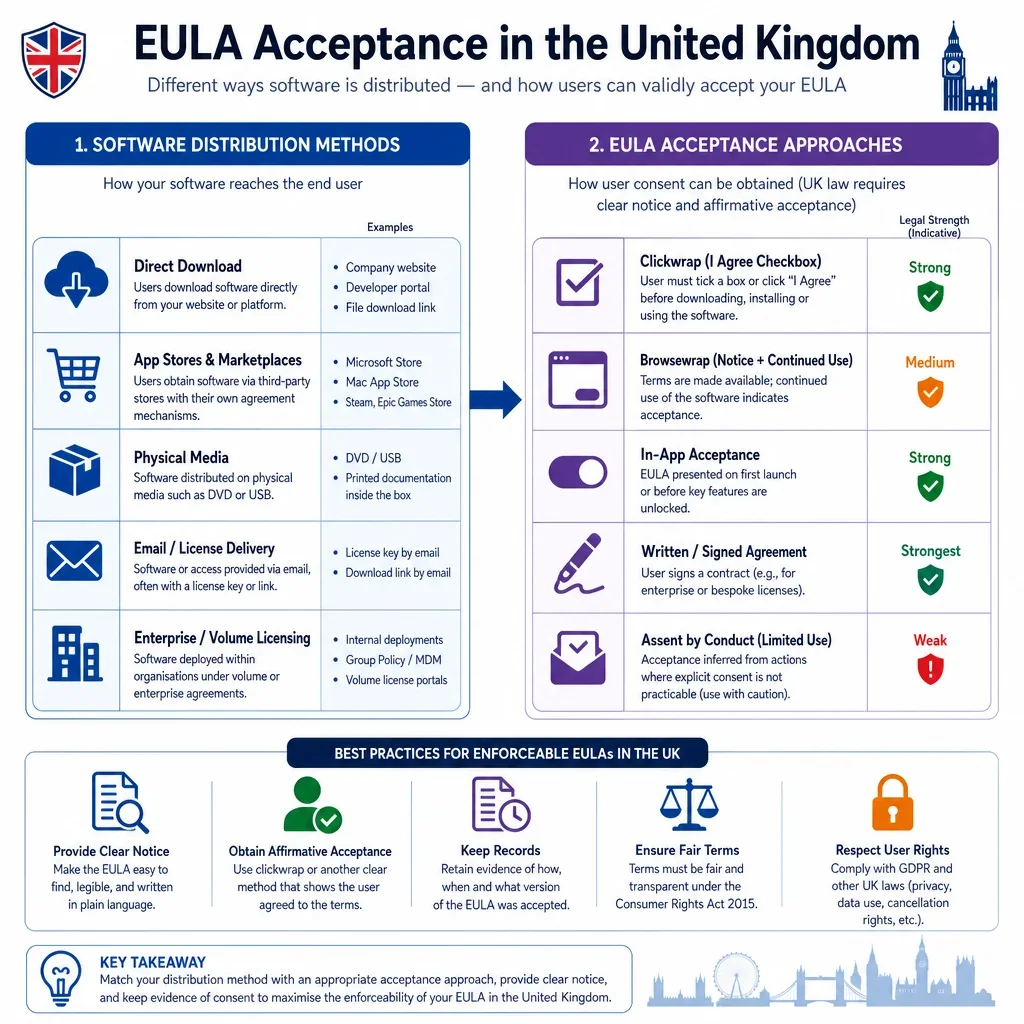
Click-wrap or installation acceptance is usually stronger than browse-wrap or implied acceptance because the user is required to take a clear action before download, installation, account creation, renewal or first use. For UK-facing software, the EULA should be shown or linked before the user is committed, with a clear checkbox, button text, version date and accessible copy.
What Evidence Helps Prove EULA Acceptance In The UK?
- Keep technical records: timestamp, user ID or account email, IP address, device ID, app version, EULA version and acceptance event.
- Preserve the exact terms accepted: store a PDF, HTML snapshot or versioned text of the EULA and any privacy or subscription terms presented with it.
- For enterprise deployments: record the contract, order form, administrator acceptance, deployment logs and any employee notice process.
What UK Consumer Issues Affect EULA Drafting?
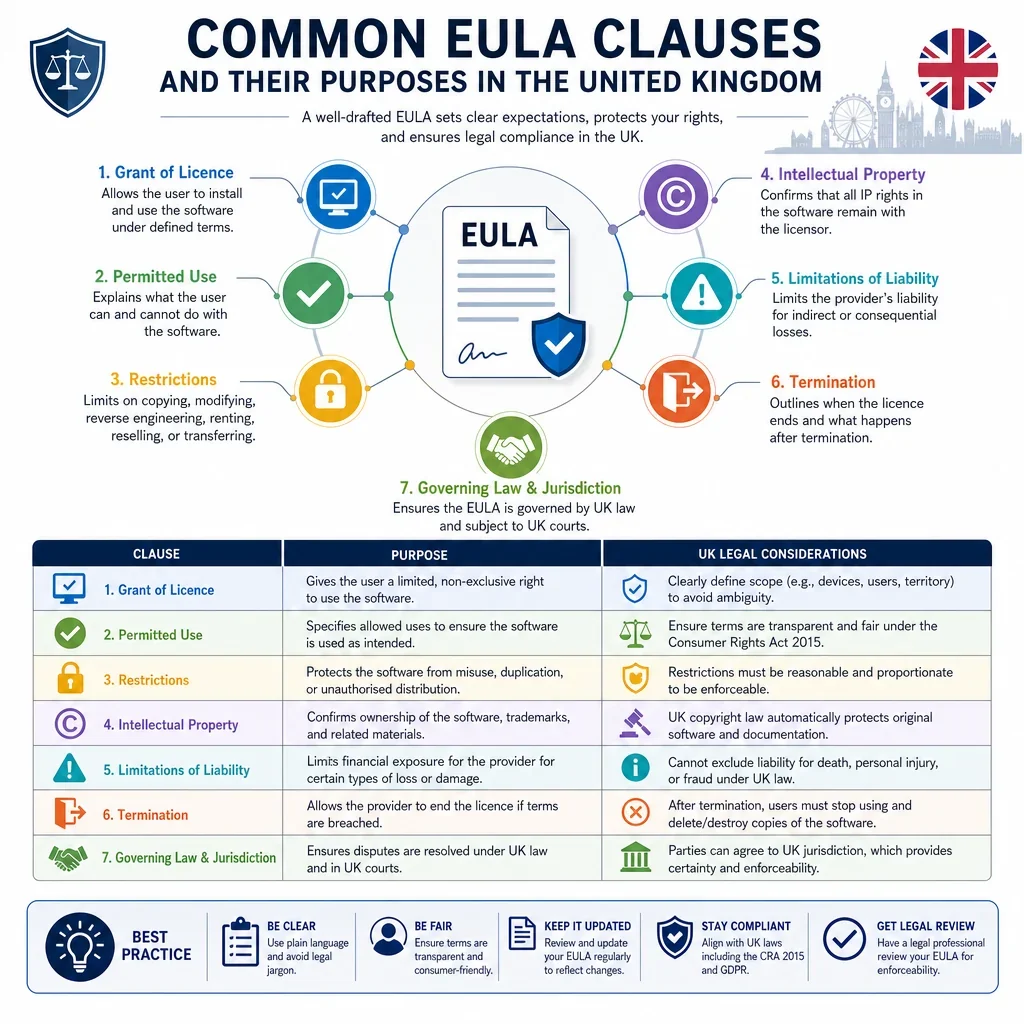
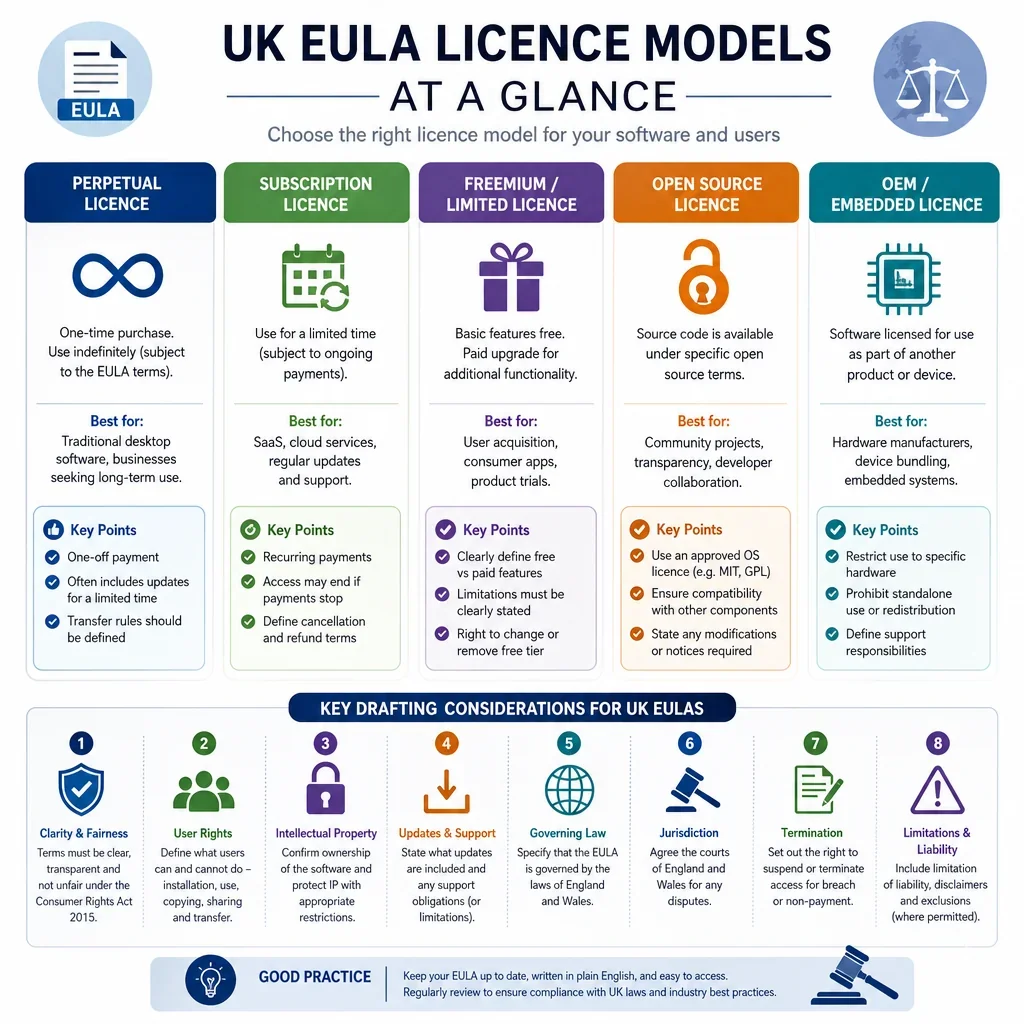
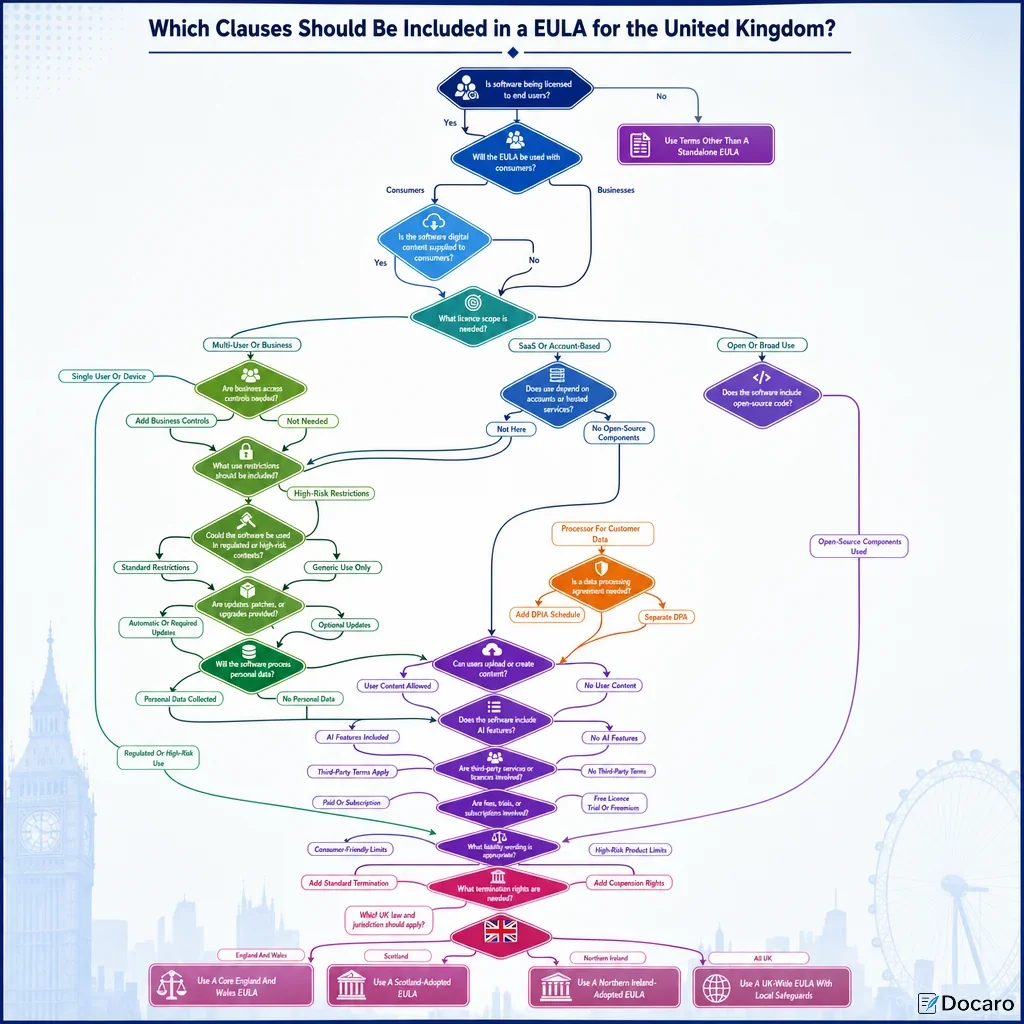
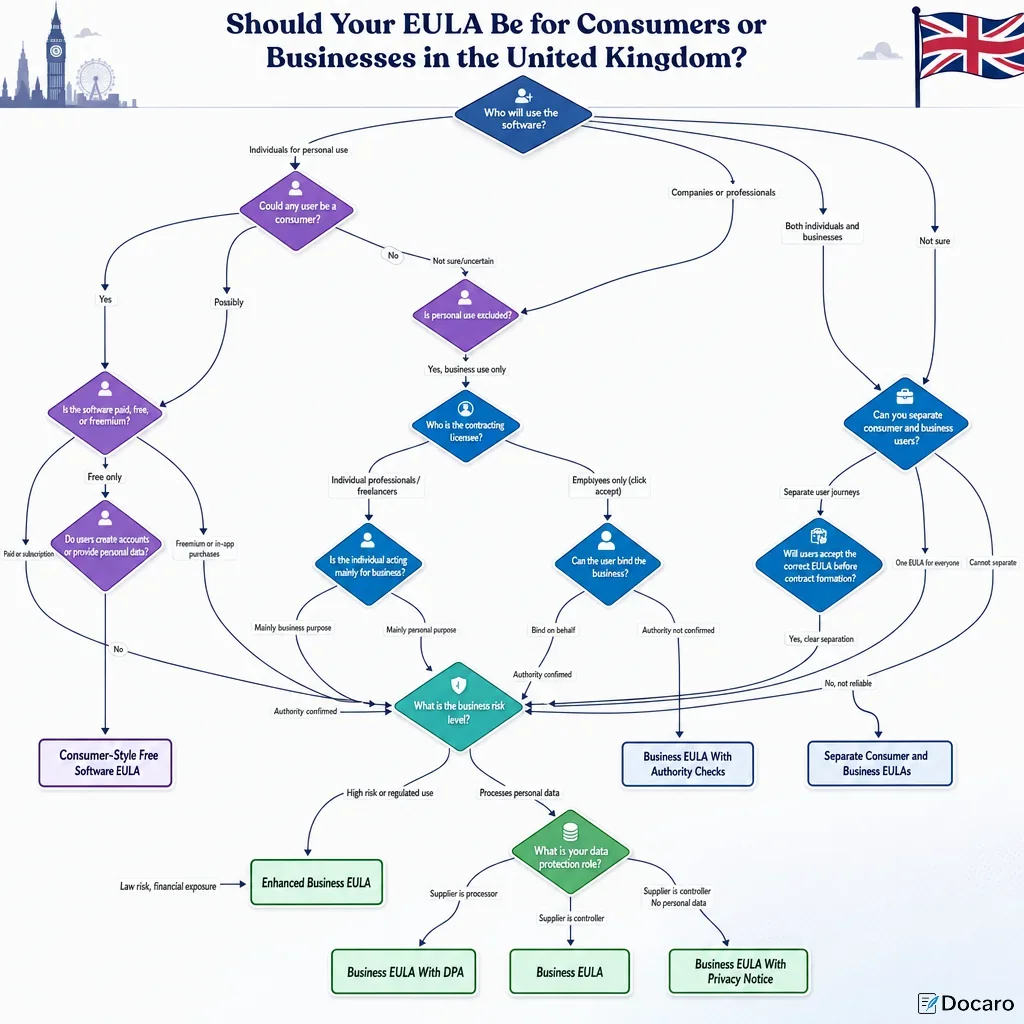
Where the end user is a UK consumer, EULA terms must be transparent and fair under the Consumer Rights Act 2015. Digital content supplied to consumers must meet statutory standards, and unfair exclusions, hidden renewal terms or unexpected restrictions may be unenforceable. If paid software is supplied remotely, pre-contract information and cancellation rules under the Consumer Contracts Regulations 2013 should also be considered.
When Are App Store Or Platform Terms Not Enough?
App store, marketplace and platform terms may help evidence installation or account-level consent, but they do not always prove acceptance of the developer’s own EULA. A UK software provider should link its EULA in the store listing, show it again in-app where possible, and keep a record of the EULA version that applied at first launch, sign-in or subscription purchase.
FAQs
You Might Also Be Interested In